3. Advanced Practice Features
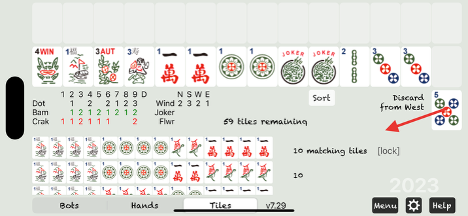
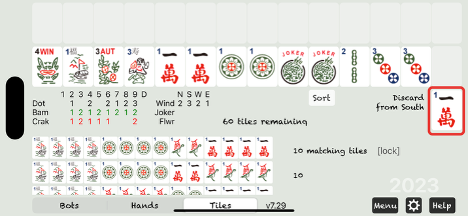
If you’re moving quickly and accidentally skip a discard you meant to pick up, you can undo it. Just drag the current discard to the left and drop it in empty space.
In this example, South discarded a 1 Crak, and we missed it. To undo, drag the 5 Dot discarded by West to the left — this will bring back the 1 Crak.
If you place the wrong tile on the rack, you can drag it back into your hand as long as you haven’t discarded yet.
Replay
Section titled “Replay”When your hand ends without a Mahjong, you can choose to replay it from the Game menu that appears.
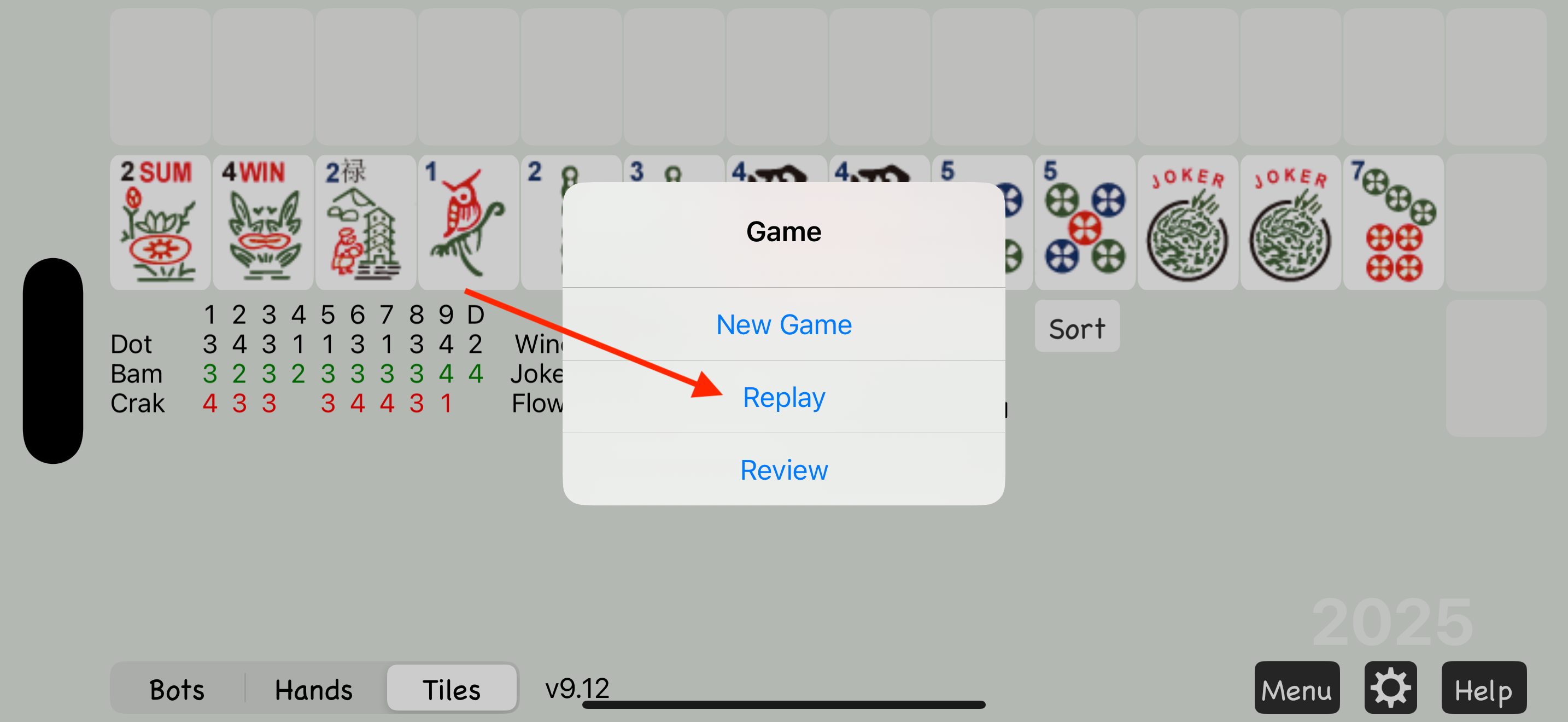
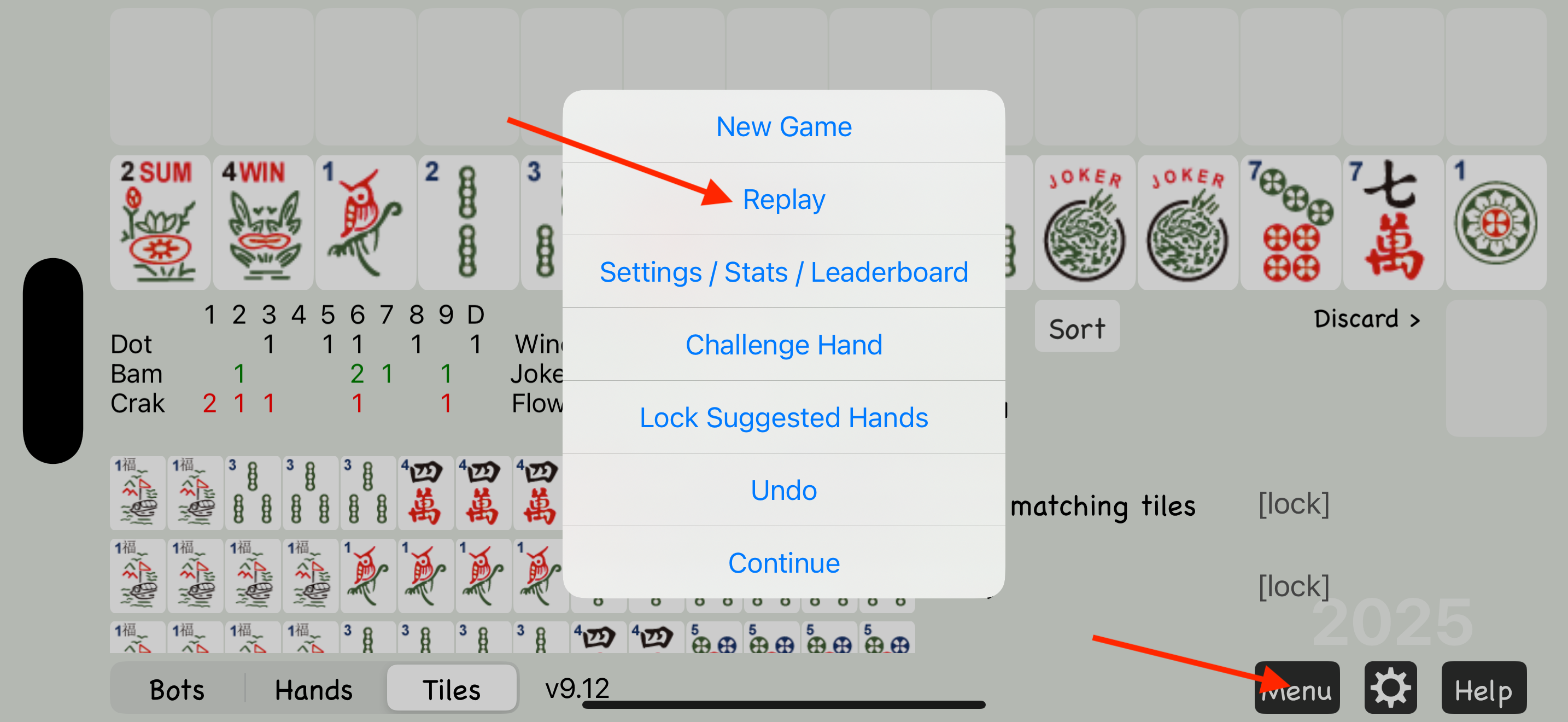
Or, you can replay at any time using the Replay option in the Menu.
Open Play
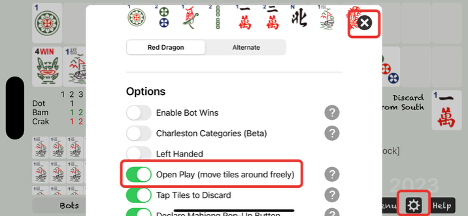
Section titled “Open Play”Go to Settings, scroll down, and enable Open Play if you’re an experienced player who wants more flexibility with racked tiles.
With Open Play on, you can easily undo any racked tiles at any time by dragging them back into your hand.
Like Undo and Replay, this is a practice feature — not a legal move in real Mahjong.
Charleston Categories
Section titled “Charleston Categories”The new Charleston Categories is a simple strategy for beginning players.
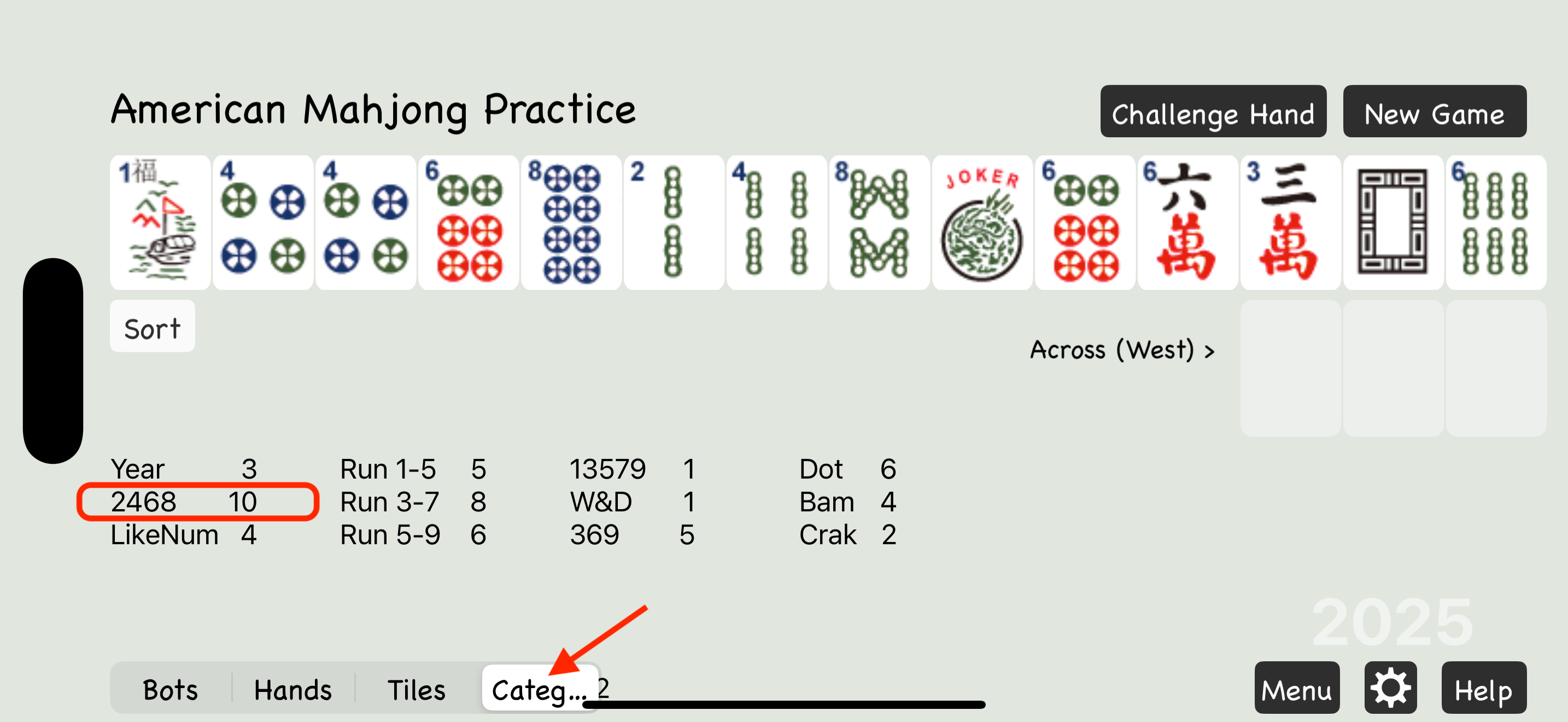
Charleston Categories assists in deciding what types of tiles to keep before you know exactly what hand you’re playing. For example, if you have a lot of 2468 tiles, you should collect more 2468 tiles during the Charleston and decide exactly what 2468 hand to play after you get more tiles.
To enable Charleston Categories, go to the Settings page. First switch Options to Advanced, then scroll down to turn on Charleston Categories.
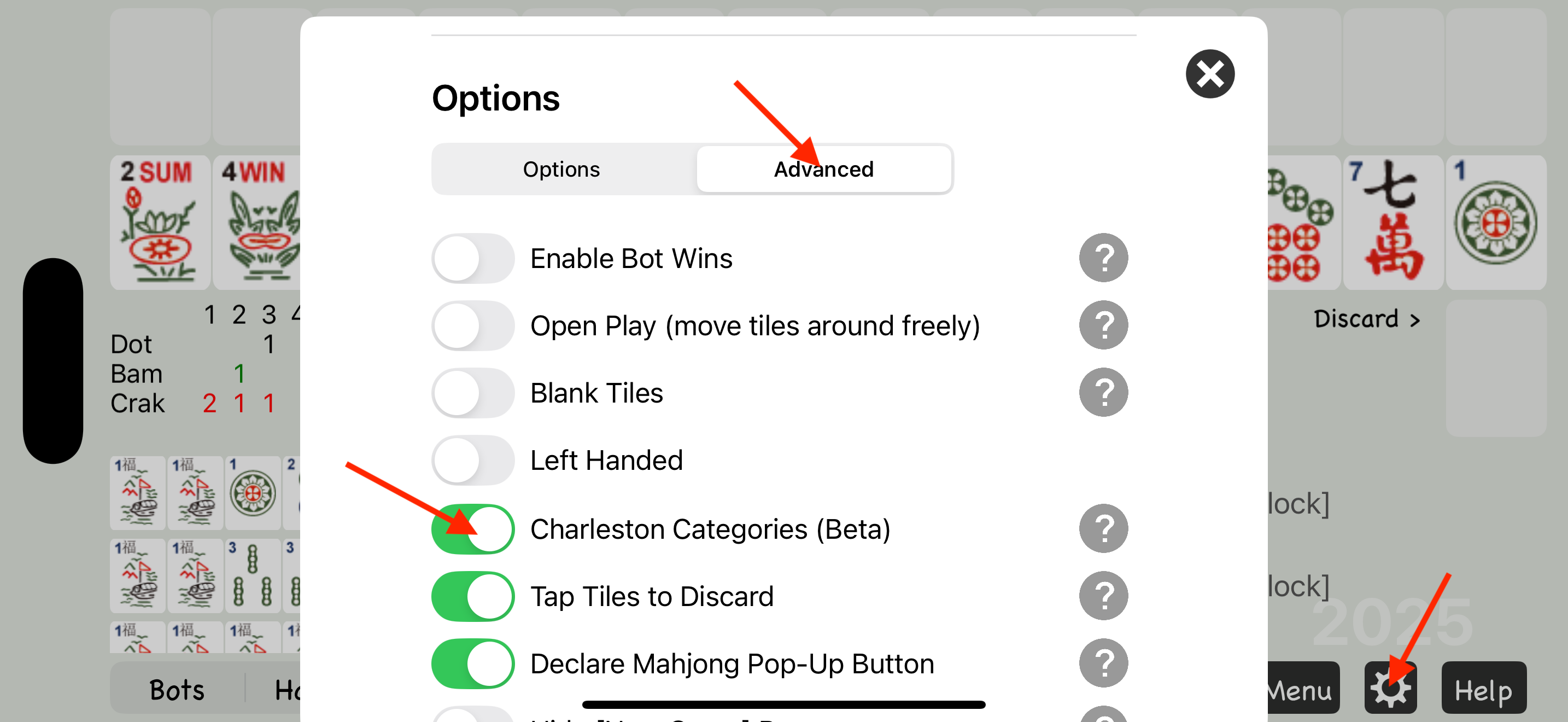
The counts next to each category show how many matching tiles you have. Flowers and jokers are not included. If one count is noticeably higher than the others, that’s a good category to collect. When the high counts are close in multiple categories, focus on the hands you’re most interested in playing.